

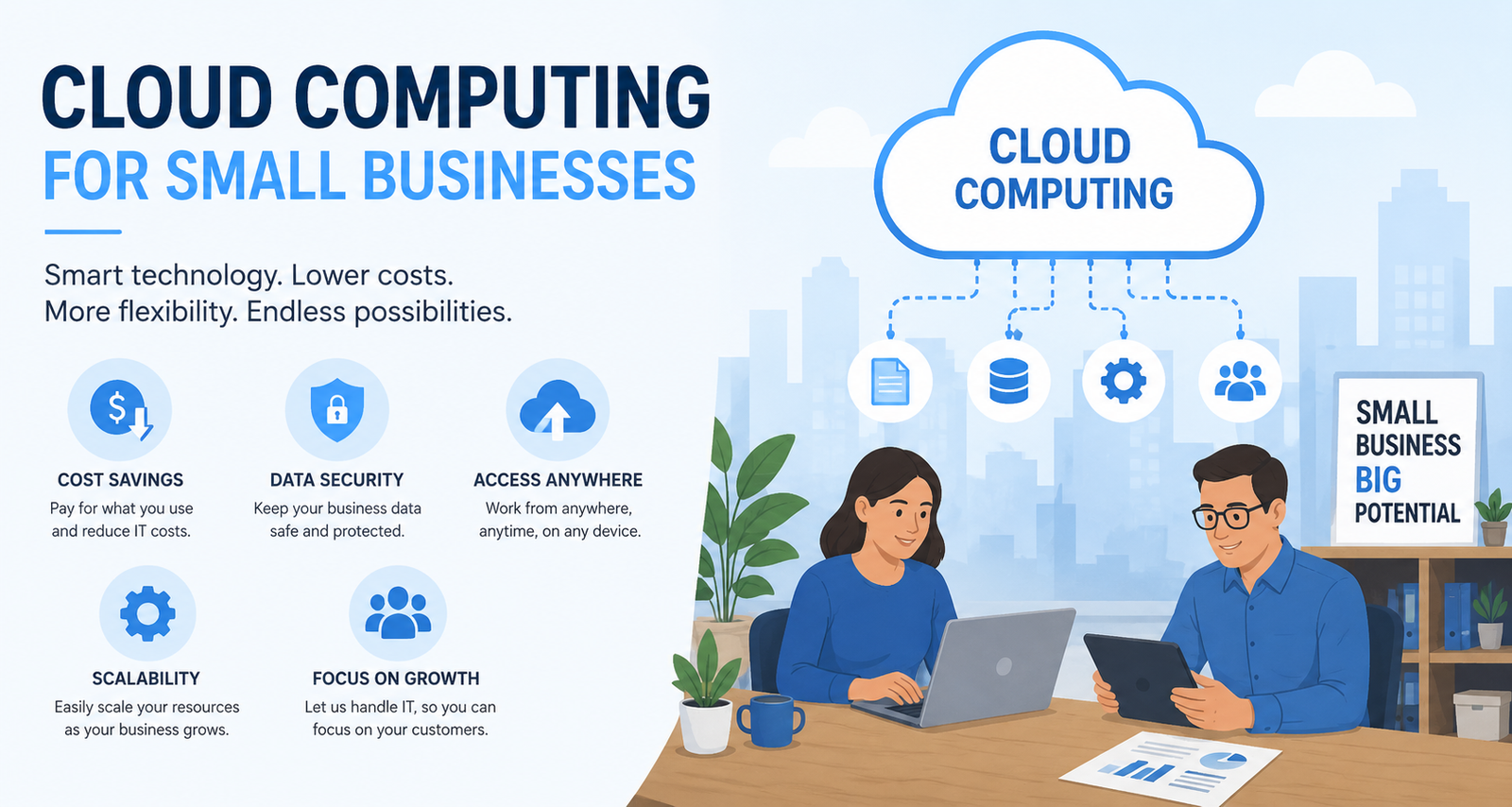
TL;DR: Cloud computing helps small businesses cut IT costs, scale operations on demand, collaborate in real time, and protect sensitive data—without the need for expensive on-site infrastructure. For most small businesses, the switch to cloud-based tools offers a measurable return on investment and a meaningful competitive edge.
Running a small business means making every dollar count. And for years, enterprise-grade technology—the kind that lets large companies store data securely, collaborate across teams, and scale at speed—was simply out of reach for smaller operations. The infrastructure alone was too expensive. The IT expertise required was too specialized. The barrier to entry was too high.
Cloud computing changed that.
Today, a two-person startup and a Fortune 500 company can access the same category of tools. Google Workspace, Microsoft Azure, Dropbox, Salesforce—these platforms run on the same underlying cloud infrastructure, and they’re available to businesses of every size. The difference is that small businesses now have more to gain from making the switch, because the gap between what they had before and what the cloud offers is so significant.
This guide breaks down the key benefits of cloud computing for small businesses—cost savings, scalability, collaboration, and security—and explains what each one means in practice. If you’re a small business owner weighing up whether cloud technology is right for you, this is a good place to start.
What Is Cloud Computing, and How Does It Work for Small Businesses?
Cloud computing refers to the delivery of computing services—storage, servers, databases, networking, software, and more—over the internet, rather than through physical hardware or on-site servers. Instead of owning and maintaining your own IT infrastructure, you access these resources through a third-party provider and pay for what you use.
For small businesses, this model is particularly attractive. There’s no large upfront capital expenditure on servers or hardware. No dedicated IT team needed to manage and maintain that equipment. And no risk of being locked into technology that becomes outdated within a few years.
The three most common cloud service models are:
- Infrastructure as a Service (IaaS): Virtualized computing resources over the internet (e.g., Amazon Web Services, Microsoft Azure)
- Platform as a Service (PaaS): Tools and frameworks for developers to build applications (e.g., Google App Engine)
- Software as a Service (SaaS): Ready-to-use software applications accessed via browser (e.g., Slack, QuickBooks Online, HubSpot)
Most small businesses interact primarily with SaaS products—everyday tools like accounting software, project management platforms, and communication apps. But understanding the full landscape helps when evaluating your options.
How Does Cloud Computing Reduce Costs for Small Businesses?
Traditional IT infrastructure carries significant costs: hardware purchases, software licenses, server maintenance, energy bills, and the salaries of IT professionals to keep everything running. For small businesses, these costs can be prohibitive—and the risk of equipment failure or data loss adds another layer of financial exposure.
Cloud computing shifts much of that burden to the service provider. According to a report by Deloitte, small and medium-sized businesses that adopt cloud solutions can reduce IT costs by up to 40%. Rather than buying servers outright, businesses pay a monthly or annual subscription fee. Rather than hiring a full-time IT manager, they rely on the provider’s support infrastructure.
The pay-as-you-go model is particularly valuable for businesses with fluctuating needs. A retail business that sees a spike in online traffic during the holiday season, for example, can scale up its cloud resources for that period and scale back down in January—paying only for what it uses. That kind of flexibility simply isn’t possible with on-premise hardware.
There are also indirect cost savings. Cloud-based tools reduce the need for physical office space dedicated to server rooms. They minimize the risk of costly data loss due to hardware failure. And they often bundle features—storage, collaboration tools, security—that would otherwise require separate software purchases.
Can Cloud Computing Help Small Businesses Scale More Easily?
Scalability is one of the most compelling arguments for cloud adoption—especially for businesses in growth mode. With traditional infrastructure, scaling up means purchasing new hardware, configuring systems, and potentially hiring additional IT staff. That process takes time and money, and it often results in over-provisioning: buying more capacity than you currently need in anticipation of future growth.
Cloud platforms eliminate that friction. Storage, computing power, and software licenses can be adjusted in real time, often with just a few clicks. A business that starts with five employees can expand to fifty without a single hardware upgrade. The infrastructure simply grows alongside the business.
This elasticity also works in reverse. During slower periods, or when a particular project winds down, resources can be scaled back to avoid unnecessary costs. For seasonal businesses or those navigating uncertainty, that flexibility is invaluable.
Platforms like Amazon Web Services and Microsoft Azure are specifically designed with this kind of dynamic scaling in mind. But even simpler SaaS tools—like adding user seats to a project management platform—operate on the same principle. Growth doesn’t have to mean disruption.
How Does the Cloud Improve Collaboration Among Small Business Teams?
Remote and hybrid work has become the norm for many small businesses, and cloud computing is what makes it functional. When files, tools, and communication channels all live in the cloud, team members can access what they need from anywhere—on any device, at any time.
Google Workspace and Microsoft 365 are two of the most widely adopted cloud collaboration platforms. Both allow multiple users to work on the same document simultaneously, track changes in real time, and communicate without switching between applications. For small teams working across different locations, this kind of seamless collaboration can be a genuine productivity multiplier.
The benefits extend beyond day-to-day communication. Cloud-based project management tools like Asana, Monday.com, and Trello give teams a shared view of tasks, deadlines, and progress—reducing the need for lengthy status update meetings and keeping everyone aligned without micromanagement.
For businesses that work with external partners, freelancers, or clients, cloud tools make collaboration even easier. Shared folders, comment threads, and version histories mean fewer emails, fewer miscommunications, and a cleaner audit trail. The result is a more efficient operation with less administrative overhead.
Is Cloud Computing Secure Enough for Small Business Data?
Data security is often cited as a concern when businesses consider moving to the cloud. It’s a reasonable question—handing control of sensitive data to a third-party provider requires a degree of trust. But the reality is that reputable cloud providers invest in security infrastructure that most small businesses could never afford to replicate on their own.
Major providers like Amazon Web Services, Google Cloud, and Microsoft Azure maintain compliance with international security standards including ISO 27001 and SOC 2. They employ dedicated security teams, conduct regular audits, and use advanced encryption to protect data both in transit and at rest.
For small businesses, one of the most significant security benefits is automated backup and disaster recovery. On-premise systems are vulnerable to hardware failure, theft, or natural disasters. Cloud storage, by contrast, replicates data across multiple servers in different geographic locations—meaning that even if one server fails, your data remains intact and accessible.
It’s worth noting that cloud security is a shared responsibility. Providers protect the infrastructure; businesses are responsible for managing access controls, setting strong passwords, and training employees on security best practices. Tools like multi-factor authentication (MFA), role-based access controls, and single sign-on (SSO) are widely available through cloud platforms and should be enabled by default.
What Are the Other Benefits of Cloud Computing Worth Knowing About?
Beyond the four core benefits—cost, scalability, collaboration, and security—cloud computing offers several additional advantages that are particularly relevant for small businesses.
Automatic updates: Cloud software is maintained and updated by the provider, meaning small businesses always have access to the latest features and security patches without needing to manage updates manually.
Business continuity: Cloud-based systems allow businesses to continue operating during disruptions—whether that’s a power outage, a hardware failure, or an unexpected event that prevents staff from accessing the office.
Access to enterprise-grade analytics: Platforms like Google Analytics, Salesforce, and HubSpot give small businesses access to data and reporting tools that were previously only available to large corporations with dedicated analytics teams.
Environmental sustainability: Cloud computing is generally more energy-efficient than maintaining on-premise servers, as providers optimize their data centers for power usage. For businesses with sustainability goals, this is a meaningful consideration.
Making the Switch: What Should Small Business Owners Do First?
Transitioning to cloud computing doesn’t have to happen all at once. Most small businesses start by moving one or two functions—email, file storage, or accounting software—before gradually migrating other systems.
A practical first step is to audit your current tools and identify which ones already have cloud-based alternatives. Chances are, many of the platforms your business already uses—accounting software, email, CRM—have cloud versions that are more capable and cost-effective than their desktop counterparts.
From there, prioritize based on where the pain points are greatest. If collaboration across a remote team is a challenge, start with a cloud communication and project management platform. If data security is a concern, focus on cloud storage and backup solutions first.
It’s also worth consulting with a cloud technology advisor or managed service provider (MSP) if your needs are complex. Many MSPs specialize in helping small businesses plan and execute cloud migrations with minimal disruption.
The Bottom Line on Cloud Computing for Small Businesses
Cloud computing has moved from a nice-to-have to a practical necessity for small businesses that want to stay competitive. The cost savings are real. The scalability is tangible. The collaboration benefits are immediate. And the security infrastructure available through reputable cloud providers surpasses what most small businesses could build independently.
The technology is accessible, the pricing is flexible, and the upside is significant. For small business owners still relying on legacy systems or on-premise infrastructure, the question is no longer whether to move to the cloud—it’s how to get started.
Frequently Asked Questions About Cloud Computing for Small Businesses
How much does cloud computing cost for a small business?
Cloud computing costs vary depending on the services used and the size of the business. Most SaaS tools for small businesses range from $10 to $50 per user per month. Infrastructure services like AWS or Azure are priced based on usage. Many providers offer free tiers or trial periods, making it easy to evaluate a platform before committing.
Is cloud computing safe for storing sensitive business data?
Yes, reputable cloud providers invest heavily in security infrastructure, including encryption, multi-factor authentication, and compliance with international standards like ISO 27001 and SOC 2. Small businesses should also implement their own access controls and security policies to complement the provider’s protections.
What types of cloud tools are most useful for small businesses?
The most widely used cloud tools for small businesses include communication platforms (Slack, Google Workspace), accounting software (QuickBooks Online, Xero), CRM systems (HubSpot, Salesforce), project management tools (Asana, Trello), and cloud storage solutions (Google Drive, Dropbox).
Do small businesses need an IT team to manage cloud computing?
No. One of the main advantages of cloud computing for small businesses is that the provider handles most of the technical maintenance. While basic digital literacy is helpful, most cloud platforms are designed for non-technical users and include customer support.
How long does it take to migrate a small business to the cloud?
The timeline depends on the complexity of your current systems and the number of tools being migrated. Simple migrations—like moving email or file storage—can be completed in a few days. More complex migrations involving multiple systems may take several weeks. A phased approach, starting with one or two tools, is often the most practical strategy.
What’s the difference between public, private, and hybrid cloud?
A public cloud is shared infrastructure managed by a provider like AWS or Google Cloud. A private cloud is dedicated infrastructure used by a single organization. A hybrid cloud combines both. For most small businesses, public cloud solutions offer the best balance of cost, flexibility, and performance.

